WhatsApp Plus vs Telegram: Features & Privacy
Compare WhatsApp Plus vs Telegram in 2026. Explore features, privacy, risks, performance, and find out which app suits you best.
In today’s fast‑paced digital world, choosing the right messaging app matters more than ever, which is why WhatsApp Plus vs Telegram has become a hot topic among users. Many people want more privacy, better customization, and advanced features, but they also worry about security, safety, and long‑term reliability. Based on real‑world usage and analysis, comparing WhatsApp Plus features with Telegram security and performance helps users avoid confusion and make informed choices. This guide focuses on practical value, real risks, and everyday usability, not hype.
For other devices see:
What Is WhatsApp Plus?
WhatsApp Plus is a modified version of the official WhatsApp app created by third‑party developers for users who want more control over their chats. The WhatsApp Plus APK is popular for custom themes, advanced privacy controls, and extended media sharing options that aren’t available in the original app. From hands‑on experience, it attracts users who enjoy hiding online status, blue ticks, and typing indicators. However, since it’s an unofficial WhatsApp mod, it comes with policy, security, and ban risks that users must clearly understand.
What Is Telegram?
Telegram is a cloud‑based messaging app built with a strong focus on speed, privacy, and scalability. Telegram Messenger allows users to sync chats across multiple devices while keeping conversations accessible through secure cloud storage. In everyday use, features like large groups, channels, bots, and Secret Chats make it suitable for both personal and professional communication. With its open platform, regular updates, and transparent security model, Telegram has earned long‑term trust among privacy‑focused users.
WhatsApp Plus vs Telegram – Feature Comparison
When comparing WhatsApp Plus vs Telegram, features play the biggest role in shaping daily experience. Both apps serve different user needs, so understanding usability, privacy depth, messaging power, and cloud support helps users choose the app that fits their lifestyle and risk tolerance.
User Interface and Customization
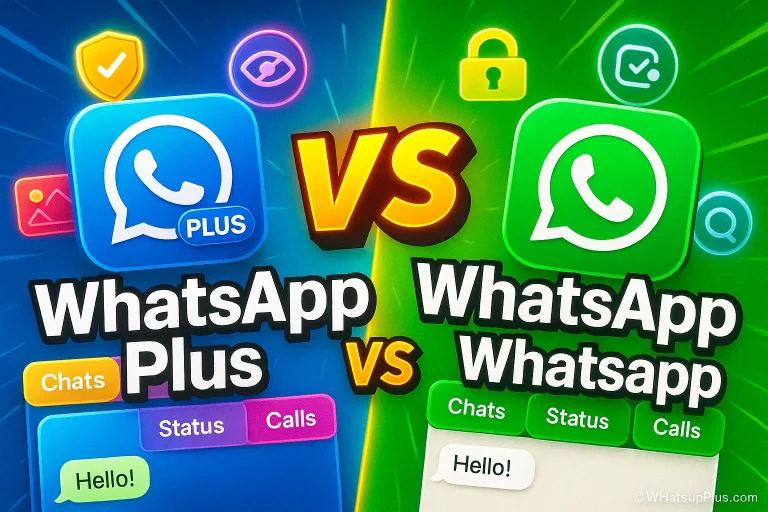
In terms of user interface and customization, WhatsApp Plus stands out with custom themes, fonts, icons, and layout changes that let users personalize every detail of their chats. Telegram, by contrast, offers a clean and minimal interface with limited customization but delivers a smoother, more consistent experience that feels professional and distraction‑free.
Privacy and Security Comparison
Looking at privacy and security, Telegram security features such as Secret Chats, self‑destructing messages, and encrypted cloud storage provide stronger trust signals. WhatsApp Plus privacy options let users hide activity indicators, but because it’s an unofficial modified app, it lacks guaranteed data protection and policy compliance, increasing long‑term risk.
Messaging, Media Sharing, and Groups
For messaging and media sharing, Telegram features offer a clear advantage with large file limits, massive groups, channels, and bot support. WhatsApp Plus improves standard WhatsApp by allowing bigger media sharing and extra message controls, but it still falls short of Telegram’s advanced group management and automation tools.
Cloud Storage and Multi‑Device Support
In cloud storage and multi‑device support, Telegram cloud storage enables seamless access across phones, tablets, and desktops without relying on one device. WhatsApp Plus, similar to the official WhatsApp, depends more on local backups and phone‑based syncing, making Telegram multi‑device support more flexible for modern users.
Pros and Cons of WhatsApp Plus
| Pros of WhatsApp Plus | Cons of WhatsApp Plus |
|---|---|
| Offers deep customization options like themes, fonts, and chat styles | It is an unofficial third-party app with no backing from WhatsApp |
| Advanced privacy controls to hide online status, blue ticks, and typing | High risk of temporary or permanent account bans |
| Allows larger media file sharing than the official WhatsApp | Potential security and data privacy risks |
| Familiar WhatsApp-style interface, easy for existing users | Not available on Google Play Store or App Store |
| Extra features not found in the original WhatsApp app | Irregular updates and no guaranteed long-term support |
Pros and Cons of Telegram
| Pros of Telegram | Cons of Telegram |
|---|---|
| Strong focus on privacy and security, including Secret Chats | Limited UI customization compared to WhatsApp Plus |
| Reliable cloud storage with true multi-device access | End-to-end encryption not enabled by default in normal chats |
| Supports large groups, channels, and bots for communities | Can feel complex for beginners at first |
| Official app with regular updates and transparency | Less popular than WhatsApp in some regions |
| Excellent speed, performance, and scalability | Advanced features have a learning curve |
Performance and Reliability
When evaluating WhatsApp Plus vs Telegram, performance and reliability directly affect everyday communication. A stable app with regular updates builds trust and ensures smoother long‑term usage.
App Speed, Stability, and Updates
In daily use, Telegram app performance feels fast and stable, supported by frequent official updates that improve features and security. WhatsApp Plus speed is usually good, but irregular update cycles and third‑party development can impact stability and reliability over time.
Battery and Data Usage Comparison
Regarding battery and data usage, Telegram optimization handles resources efficiently through its cloud‑based design. WhatsApp Plus battery usage may vary depending on themes and extra features, which can slightly increase resource consumption on some devices.
Is It Safe and Legal to Use WhatsApp Plus?
From a safety and legality standpoint, WhatsApp Plus is not an official or legally approved app. As a third‑party WhatsApp modification, it violates WhatsApp’s terms of service, which can lead to temporary or permanent account bans. While some users lower risk by using secondary numbers, there’s no full guarantee of privacy, data security, or long‑term safety.
For more information about this see: Is WhatsApp Plus Safe? Risks, Features & Secrets
Which App Is Better for Different Users?
Choosing between WhatsApp Plus vs Telegram depends on personal priorities. Matching the app’s strengths with real‑world needs helps users get better results with fewer regrets.
Best for Privacy‑Focused Users
For users who value privacy and data protection, Telegram is the safer option thanks to Secret Chats, encryption features, and transparent security practices. Compared to WhatsApp Plus, Telegram offers higher trust and long‑term reliability.
Best for Customization Lovers
Users who love personalization will appreciate WhatsApp Plus customization, including themes, fonts, and UI control. It delivers freedom and flexibility, though users must accept the higher security and ban risks involved.
Best for Business and Communities
For creators, businesses, and large audiences, Telegram for communities is the better choice. Features like channels, bots, automation, and massive group limits make Telegram business tools more scalable and professional.
See more here:
Frequently Asked Questions
Final Verdict
This WhatsApp Plus vs Telegram comparison shows that both apps have strengths, but they serve very different users. Telegram’s security, performance, and cloud features make it the safer long‑term choice, while WhatsApp Plus customization tools appeal to users who accept higher risk. Share your thoughts in the comments, explore more guides, or contact the support team if you need clarity. Don’t forget to bookmark Whtsupplus for trusted updates, comparisons, and messaging app insights.